
Recognizing when your laptop needs professional repair can save you hundreds of dollars in preventable damage and countless hours of frustration. While many laptop issues can be resolved with basic troubleshooting, certain warning signs indicate that DIY fixes will only make problems worse—or potentially dangerous.
At Chipfixers Infotech, we believe in empowering our customers with knowledge. Sometimes the most valuable service we provide is honest advice about what you can handle yourself versus when professional intervention is absolutely necessary. This guide will help you make informed decisions about your laptop’s health and your wallet’s well-being.
Understanding the DIY vs Professional Boundary
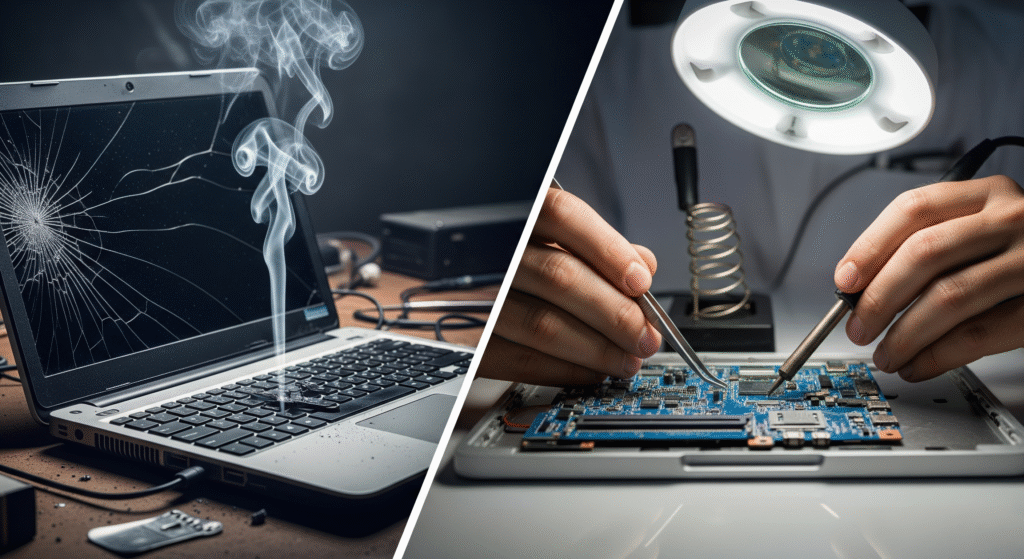
The line between simple maintenance and laptop professional diagnosis isn’t always obvious. Modern laptops are complex systems where seemingly minor symptoms can indicate major underlying problems. Understanding these warning signs can prevent a $200 repair from becoming a $800 replacement scenario.
When DIY Is Appropriate:
- Software glitches and driver issues
- Basic cleaning and maintenance
- RAM or storage upgrades
- Simple peripheral problems
When Professional Help Is Essential:
- Hardware component failures
- Power and charging system problems
- Liquid damage of any kind
- Physical damage to internal components
10 Critical Warning Signs You Cannot Ignore
Red Flag #1: Intermittent Power Issues
Laptop repair warning signs don’t get more serious than power problems that come and go. If your laptop sometimes powers on normally but other times requires multiple attempts, you’re dealing with component-level failures that require professional attention.
What This Indicates:
- Power management IC degradation
- Loose motherboard connections
- Battery cell failures
- Charging circuit problems
Why DIY Won’t Work: Power systems involve tiny surface-mount components that require specialized tools and expertise to diagnose and repair. Attempting DIY fixes on power circuits can result in catastrophic damage to multiple systems.
Professional Solution Required: Our technicians use multimeters, oscilloscopes, and thermal imaging to identify exact failure points in power delivery systems, then perform component-level repairs that restore reliable operation.
Red Flag #2: Random Shutdowns Under Normal Use
When your laptop shuts down unexpectedly during light tasks like web browsing or document editing, you’re not dealing with overheating or software issues—you’re seeing laptop hardware problems that indicate serious internal failures.
Common Causes:
- CPU or GPU socket failures
- RAM controller problems
- Motherboard capacitor issues
- Power delivery instabilities
DIY Limitations: These problems require component-level diagnosis that’s impossible without professional diagnostic equipment. Temperature monitoring software won’t reveal the true cause of these shutdowns.
Professional Approach: We perform comprehensive hardware testing including stress testing individual components, measuring power delivery stability, and using diagnostic software not available to consumers.
Red Flag #3: Unusual Sounds From Internal Components
Laptop component failure often announces itself through sounds that shouldn’t exist in a properly functioning system. While fan noise is normal, certain sounds indicate immediate professional attention is needed.
Concerning Sounds:
- Clicking or ticking: Hard drive mechanical failure
- Grinding: Bearing failures in fans or drives
- High-pitched whining: Coil whine indicating power problems
- Popping or crackling: Electrical component failures
Why This Matters: These sounds often indicate failures in progress. Continued use can transform a repairable problem into total component destruction, significantly increasing repair costs.
Professional Assessment: Our diagnostic process includes audio analysis of system sounds, helping identify failing components before complete failure occurs.
Red Flag #4: Display Problems Beyond Simple Connectivity
Screen issues that persist across different applications and after cable reseating indicate laptop repair red flags that require professional attention. Simple display problems have simple solutions—complex ones need expert diagnosis.
Professional-Level Display Problems:
- Lines, artifacts, or color distortion that varies with screen movement
- Partial display function (some areas working, others not)
- Brightness control failures
- Display that works intermittently
What These Indicate:
- GPU failure or overheating
- Display cable degradation
- Motherboard graphics circuit problems
- LCD panel internal failures
Professional Diagnosis Needed: Determining whether display problems stem from the GPU, display cables, or the screen itself requires specialized testing equipment and expertise that typical users don’t possess.
Red Flag #5: Charging Problems That Aren’t Adapter-Related
When to repair laptop charging issues professionally becomes clear when you’ve verified that your power adapter works correctly but charging problems persist.
Complex Charging Issues:
- Laptop recognizes charger but won’t charge battery
- Charging stops and starts randomly
- Battery percentage displays incorrectly
- Charging port feels loose or damaged
Professional Investigation Required: Charging system problems can involve the charging port, charging circuits on the motherboard, battery management systems, or power delivery components. Each requires different repair approaches and specialized tools.
Red Flag #6: Performance Degradation Despite Software Optimization
When your laptop’s performance continues declining after software optimization, driver updates, and malware removal, you’re dealing with laptop technical problems at the hardware level.
Hardware-Related Performance Issues:
- Consistent slowdowns during specific tasks
- System freezes that require hard restarts
- Programs crashing repeatedly
- Boot times increasing progressively
Why Software Fixes Fail: Hardware degradation creates performance problems that no amount of software optimization can resolve. RAM failures, storage device problems, or CPU thermal issues require physical repair or replacement.
Professional Performance Analysis: We use hardware diagnostic tools to test individual components under controlled conditions, identifying which specific hardware elements are causing performance problems.
Red Flag #7: Overheating That Cleaning Can’t Resolve
If your laptop continues overheating after thorough cleaning of vents and fans, you’re dealing with laptop malfunction signs that indicate deeper thermal management problems.
Professional-Level Overheating:
- High temperatures immediately after startup
- Overheating during light tasks
- Fan runs constantly at maximum speed
- System throttling or shutdowns persist after cleaning
Advanced Thermal Problems:
- Thermal paste degradation requiring replacement
- Heat pipe failures or blockages
- Fan motor degradation
- Thermal sensor malfunctions
Professional Thermal Management: Our thermal analysis includes disassembly, thermal paste replacement, heat pipe inspection, and thermal sensor calibration—services that require specialized tools and experience.
Red Flag #8: Multiple System Failures Occurring Simultaneously
When several laptop systems fail around the same time, you’re seeing laptop repair specialist territory. Multiple failures often indicate a common underlying cause that requires professional investigation.
Concerning Failure Patterns:
- Audio and USB ports failing together
- WiFi and Bluetooth stopping simultaneously
- Keyboard and trackpad becoming unresponsive
- Multiple peripherals not being recognized
Why This Indicates Professional Need: Simultaneous failures often point to motherboard-level problems, power supply issues, or cascade failures where one problem causes others. Identifying the root cause requires systematic testing that’s beyond DIY capabilities.
Red Flag #9: Physical Damage to Internal Components
Any visible physical damage inside your laptop indicates laptop diagnostic service needs that go far beyond user-level repairs.
Professional Repair Scenarios:
- Cracked or damaged circuit boards
- Bent or broken connectors
- Burn marks or discoloration on components
- Loose components or cables
Why DIY Is Dangerous: Physical damage often affects multiple systems and can involve safety hazards like damaged lithium batteries or exposed electrical components. Professional assessment is essential for both safety and effective repair.
Red Flag #10: Liquid Damage of Any Amount
Laptop professional service becomes absolutely essential with any liquid exposure, regardless of how minor it might seem. Liquid damage creates complex, time-sensitive repair scenarios that require immediate professional intervention.
Why Liquid Damage Is Always Professional:
- Corrosion begins immediately and spreads
- Multiple components are typically affected
- Electrical safety hazards exist
- Specialized cleaning equipment is required
- Time-sensitive intervention needed to prevent permanent damage
Professional Liquid Damage Response: Our liquid damage protocol includes immediate disassembly, ultrasonic cleaning, component-by-component testing, and corrosion removal—processes that require specialized equipment and expertise.
The Cost of Delaying Professional Repair
Understanding laptop repair vs replace economics helps clarify when immediate professional attention is most cost-effective:
Early Intervention Benefits:
- Component-level repairs: $150-400 vs full replacement
- Preventive maintenance: Stops cascade failures
- Data preservation: Professional repair often saves files
- Extended lifespan: Proper repair adds years of useful life
Delay Consequences:
- Cascade failures: One problem causes others
- Complete system failure: Repairable becomes unrepairable
- Data loss: Files become unrecoverable
- Higher costs: Complex repairs cost significantly more
Building Trust Through Honest Assessment
At Chipfixers Infotech, we believe laptop repair advice should always prioritize your best interests over our business interests. Sometimes that means recommending DIY solutions or even suggesting replacement when repair costs don’t make economic sense.
Our Honest Assessment Process:
Free Diagnostic Consultation:
- No-obligation evaluation of your laptop’s condition
- Clear explanation of all identified problems
- Honest assessment of repair feasibility and costs
- Recommendation for repair vs replacement based on value
Transparent Communication:
- Detailed explanation of what’s wrong and why
- Clear timeline for repair completion
- Upfront cost estimates with no hidden fees
- Regular updates during the repair process
When Replacement Makes More Sense
Part of providing genuine laptop repair consultation involves recognizing when replacement is the better choice:
Replacement Indicators:
- Age: Laptops over 5-6 years old with major failures
- Cost: Repair costs exceeding 60% of replacement value
- Cascade failures: Multiple expensive components failing
- Obsolescence: Parts no longer available or extremely expensive
Repair Value Scenarios:
- Recent purchase: Laptops under 3 years old
- High-end models: Premium laptops retain repair value longer
- Business critical: When downtime costs exceed repair costs
- Data importance: When file recovery is primary concern
Professional Diagnostic Process
Our laptop professional diagnosis follows a systematic approach that ensures accurate problem identification and appropriate solutions:
Stage 1: Initial Assessment (30 minutes)
- Visual inspection for obvious damage
- Basic functionality testing
- Connection and peripheral verification
- Initial problem isolation
Stage 2: Comprehensive Testing (60-90 minutes)
- Hardware diagnostic software analysis
- Component-specific testing procedures
- Thermal and electrical measurements
- Performance benchmarking
Stage 3: Expert Analysis (30 minutes)
- Professional interpretation of test results
- Root cause identification
- Repair feasibility assessment
- Cost-benefit analysis for customer
Stage 4: Recommendation and Planning
- Clear explanation of findings
- Detailed repair vs replacement recommendation
- Timeline and cost estimates
- Customer decision support
Quality Assurance and Customer Protection
Professional laptop repair expert services include protections that DIY attempts cannot provide:
Our Quality Standards:
- Pre-repair documentation: Complete before/after comparison
- Genuine parts: OEM or equivalent quality components only
- Warranty coverage: 90-day guarantee on all repair work
- Insurance protection: Coverage for devices in our care
Customer Safeguards:
- No-work, no-charge policy: Diagnostic fees waived if unrepairable
- Approval required: No work begins without customer authorization
- Data protection: Professional handling of personal information
- Right to cancel: Stop work at any point before completion
For more information about professional repair standards and consumer protections, visit the Consumer Technology Association repair guidelines (nofollow).
Emergency and Expedited Service Options
Understanding that some laptop problems are time-critical, we offer laptop professional service options that match your urgency level:
Same-Day Diagnostic:
- Critical business or academic deadlines
- Emergency assessment within 4 hours
- Immediate repair recommendations
- Express service coordination
Priority Repair Service:
- Business-critical laptop failures
- Student deadline emergencies
- Professional presentation requirements
- Guaranteed completion timeframes
Conclusion: Trust Your Instincts and Our Expertise
Recognizing when your laptop needs professional repair is ultimately about understanding the difference between symptoms you can address and problems that require expert intervention. The warning signs outlined in this guide represent scenarios where professional help isn’t just recommended—it’s essential for both effective resolution and safety.
At Chipfixers Infotech, we respect DIY enthusiasts and always encourage customers to handle what they can safely manage. However, when these red flags appear, attempting DIY repairs often transforms repairable problems into replacement scenarios.
Your laptop is likely essential to your work, education, or personal life. Don’t let pride or cost concerns turn a manageable repair into a catastrophic failure. Professional assessment costs far less than the consequences of ignored warning signs.
🚩 Professional Repair Red Flags Checklist:
- ⚡ Power Issues: Intermittent startup or random shutdowns
- 🔊 Unusual Sounds: Clicking, grinding, or electrical noises
- 🖥️ Display Problems: Artifacts, lines, or intermittent function
- 🔋 Charging Failures: Problems not solved by adapter replacement
- 🌡️ Overheating: High temperatures despite cleaning
- 💻 Multiple Failures: Several systems failing simultaneously
Don’t wait for red flags to become catastrophic failures.
Experiencing any of these warning signs? Contact our professional diagnostic team for honest assessment and expert advice. Free consultation available—because sometimes the best repair advice is knowing when not to attempt DIY fixes.